How to Know When It’s Time to Upgrade Your Security System
Your security system should work quietly in the background—until the moment you need it most. Knowing when to upgrade security system hardware, software, and monitoring is the difference between proactive protection and a costly emergency. In this guide, you’ll learn clear warning signs, practical timelines, and how to plan a smooth, stress-free upgrade.
If you’ve asked yourself when to upgrade security system components or whether modern features would make a real difference, you’re in the right place. We’ll cover performance, reliability, communication changes, and the smart integrations that make everyday safety easier. By the end, you’ll know exactly when to upgrade security system equipment to keep your home or business protected.
Why Timing Your Security System Upgrade Matters
- The risks of waiting until system failure
- Cost benefits of proactive vs. reactive upgrades
- Modern security threats and system capabilities
The worst time to find out a component has failed is during an incident. Waiting until something breaks means you’re making decisions under stress—and possibly after a loss. That’s why it’s smart to decide when to upgrade security system parts before they reach end of life.
Proactive upgrades often cost less than emergency service calls, rush shipping, or damage remediation. You get better pricing, a planned installation timeline, and the opportunity to compare options. If you’re debating when to upgrade security system devices, consider the total cost of downtime, false alarms, and missed alerts.
Threats evolve, too. Today’s systems can authenticate users more securely, detect motion more accurately, and send alerts faster. Modern cameras produce clearer video that’s actually useful to law enforcement. If you’re wondering when to upgrade security system capabilities, match your current risks—like package theft, perimeter breaches, or cyber threats—to the features available now.
Age-Related Warning Signs
- Average lifespan of security components
- Outdated technology limitations
- Physical wear and tear indicators
Every component has a lifecycle. Many control panels and detectors last 5–10 years with regular maintenance, while cameras can show noticeable performance decline sooner due to weather and continuous operation. For planning, review industry resources on Security System Life Expectancy and pair those guidelines with your system’s install date. If you can’t confirm ages, that alone is a signal it’s time to decide when to upgrade security system parts.
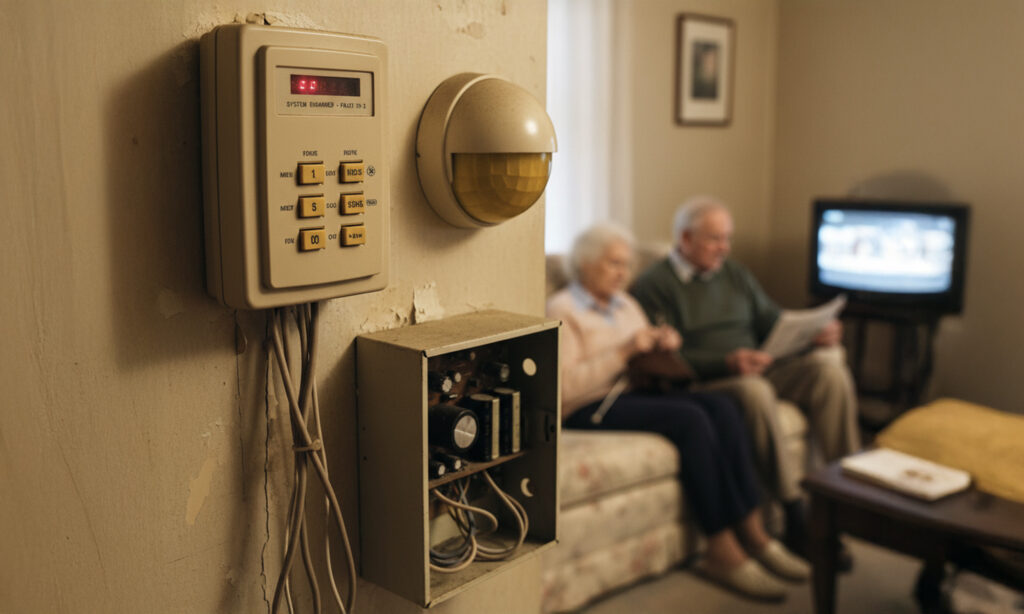
Older technology brings real limitations: low-resolution video, noisy audio, sensors that trigger false alarms, or panels that can’t accept security patches. Physical wear matters, too. Look for yellowing plastics, brittle cables, corroded contacts, condensation inside camera housings, or panels that feel warm to the touch. If you’re tracking when to upgrade security system equipment, visible wear and outdated specs are red flags.
As gear ages, reliability drops. If you’ve crossed the five-year mark without a refresh, start planning when to upgrade security system essentials like backup batteries, door/window contacts, and communication modules.
Performance Issues That Signal It’s Time to Upgrade
- False alarms and sensor failures
- Slow system response times
- Communication problems with monitoring center
Frequent false alarms are more than a nuisance—they indicate miscalibrated or failing sensors, or a control panel that can’t parse modern settings. If you’re logging repeated triggers, it’s time to evaluate when to upgrade security system sensors or the panel itself.
Delays in arming, disarming, or sending alerts are another warning sign. Slow response can come from outdated processors or congested communication paths. If your system lags, ask your provider to benchmark it; then decide when to upgrade security system components that cause bottlenecks.
Finally, pay attention to monitoring center communication. Missed signals, repeated test failures, or inconsistent cellular reception are serious. These issues often occur in systems that rely on older cellular generations or POTS lines. This is a clear indicator of when to upgrade security system communication modules and monitoring plans.
Software and Technology Red Flags
- Discontinued software support
- Incompatibility with new features
- Cybersecurity vulnerabilities
When a manufacturer ends support, you stop receiving updates, patches, and new features. That creates risk over time. If your control panel or app no longer gets updates, you’re overdue to decide when to upgrade security system software and hardware together.
Feature incompatibility is another common roadblock. You may want two-way audio, cloud video storage, or AI-enabled alerts, but older panels or cameras can’t support them. If the features you need require a new platform, that’s your cue on when to upgrade security system infrastructure.
Finally, cybersecurity matters. Unpatched firmware or weak encryption can expose your network and your system. If your vendor can’t confirm current encryption standards or multi-factor authentication, that’s a clear sign of when to upgrade security system devices to modern, secure models.
Component Reliability Concerns
Battery backup problems
Backup batteries typically last 3–5 years. If your panel or siren reports frequent low-battery alerts, or if the system dies during brief outages, you’re seeing a key indicator of when to upgrade security system power components. A fresh battery may help, but repeated issues usually point to an aging panel or charger circuitry.
Control panel malfunctions
Panels that freeze, reboot, or drop sensors without cause are on borrowed time. That’s prime evidence of when to upgrade security system control hardware. Erratic behavior rarely improves and can escalate into total failure at the worst moment.
Motion detector inconsistencies
Motion detectors that miss movement or trigger without cause can stem from aging sensors or poor placement for newer room layouts. If recalibration doesn’t resolve it, it’s a practical sign of when to upgrade security system motion detection with modern PIR or dual-tech sensors that minimize false alarms.
Integration and Smart Home Limitations
- Modern automation capabilities
- Mobile app accessibility needs
- Connected device compatibility
Smart security isn’t just a convenience—it improves response and coverage. If your system can’t integrate with lights, locks, garage doors, or thermostats, you’re missing automation that deters intruders and streamlines routines. That’s a strong hint for when to upgrade security system platforms for better compatibility.
Mobile access is now essential. You should be able to arm, disarm, view cameras, and receive alerts on your phone. If your app is clunky or unsupported, that’s a clear moment to choose when to upgrade security system apps and hubs. Explore the latest smart home security features to see what’s possible.
Finally, consider device compatibility. If you’re adding smart locks or cameras and keep hitting integration walls, that’s your answer on when to upgrade security system controllers to a unified, modern ecosystem.
Monitoring and Communication Changes
- 3G/4G sunset impacts
- New communication protocols
- Enhanced monitoring options
Cellular networks evolve. As 3G and some 4G networks sunset, older communicators can fail silently. If your communicator relies on aging networks, it’s time to plan when to upgrade security system radios to LTE or 5G-capable modules.
Newer protocols deliver faster, more reliable signaling and better encryption. If you’re unsure what your system uses, ask your provider for a test and report. This will help pinpoint when to upgrade security system communication pathways to maintain dependable alerts and remote control.
While you’re assessing communications, review your monitoring level. Today’s professional monitoring services offer video verification, enhanced dispatch, and redundant paths for resilience. If your current plan lacks these, that’s another indicator of when to upgrade security system monitoring for faster, more accurate response.
Coverage Gaps in Your Current System
- Identifying vulnerable areas
- New security requirements
- Expanding protection zones
Homes and businesses change. Renovations, new entries, or added outdoor areas can create blind spots. Walk your property and map every door, window, and approach. If you find gaps, you’ve found a practical sign of when to upgrade security system coverage.
Insurance or compliance needs may also change. You may need audio-enabled cameras in certain zones, environmental sensors, or additional access control. These are common triggers for when to upgrade security system specifications to meet new requirements.
Don’t forget the perimeter. Modern outdoor cameras, smart lighting, and driveway sensors expand your protective bubble. If your system ends at the front door, it’s time to decide when to upgrade security system technology to cover the full property.
Cost Considerations for Upgrading
- ROI of modern security features
- Insurance benefits and savings
- Financing and upgrade options
Upgrading is an investment that pays off in fewer false alarms, clearer evidence, lower maintenance, and stronger deterrence. When you calculate total cost of ownership, you can better judge when to upgrade security system elements versus repairing legacy gear over and over.
Ask your insurer about premium reductions for verified monitoring, video verification, or enhanced intrusion detection. Those savings can offset the upgrade cost. This can tip the balance on when to upgrade security system devices now rather than later.
Many providers offer financing, hardware buyback, or takeover programs that reuse wiring and compatible devices. This brings down cost and disruption. If budget is the sticking point, explore these options as you plan when to upgrade security system components in a way that fits your timeline.
How to Plan Your Security System Upgrade
Professional security assessment
Start with a walkthrough and risk assessment. Document device ages, firmware versions, coverage maps, and communication paths. A professional can prioritize what must change now and what can wait. This clarity makes it easier to schedule when to upgrade security system parts in phases without losing protection.
Choosing the right components
Match equipment to your goals: faster alerts, better video, more automation, or tougher cyber protections. Balance wired and wireless devices, confirm open standards, and verify app support. If you’re migrating from another provider, consider system upgrade services that let you retain compatible hardware while modernizing your core panel and communication.
Installation timeline planning
Minimize downtime by staging the project: communicator first, then panel, then sensors and cameras. Test each phase with your monitoring center. This approach ensures continuity and helps you decide precisely when to upgrade security system elements without gaps in coverage.
Frequently Asked Questions
How often should a security system be upgraded?
A good rule of thumb is every 5–8 years for the core panel and key sensors, with cameras often refreshed sooner as video tech improves. Batteries and communicators may have shorter cycles. Regular maintenance extends life, but plan ahead for when to upgrade security system components based on age, performance, and support status.
Can I upgrade my security system in phases?
Yes. Modular upgrades are smart and budget-friendly. Prioritize critical risks first: communication module, panel, then high-traffic sensors and key cameras. This phased approach keeps you protected while you choose when to upgrade security system features like automation and advanced analytics later.
Will my old security system work during the upgrade process?
With proper planning, yes. Professionals can stage installations so the legacy system stays active until new gear is tested and online. Communicators and panels are often swapped during low-traffic hours to maintain protection as you determine when to upgrade security system devices room by room.
What features should I look for in a modern security system?
Look for encrypted communication, reliable cellular backup, mobile app control, cloud or hybrid video storage, AI-assisted detection, and smart integrations for lights and locks. These capabilities make the most difference day to day and help signal when to upgrade security system hardware to unlock real-world benefits.
If you’re still weighing when to upgrade security system technology for your property, we’re here to help. Get a no-pressure assessment, explore smart home security features, compare professional monitoring services, or ask about system upgrade services that fit your budget and timeline. Protect what matters—proactively—with Group One.