What Are the Best Commercial Door Access Control Systems for South Florida Businesses?
Key Takeaways
- Commercial door access control replaces physical keys with credentials (PIN codes, cards, fobs, biometrics, or mobile IDs) verified by a door controller before the lock releases.
- The right system depends on how many doors you have and how many locations you manage, not on a generic “one system fits all” approach.
- Terms like door-forced alerts, door-held-open alerts, and remote lock/unlock describe real-time features that tell you what’s happening at your doors, not just who has a key.
- Fire codes require access-controlled doors to unlock automatically during a fire alarm or power loss, which shapes how these systems must be installed in South Florida.
- Group One designs and supports access control systems that integrate with CCTV, alarms, and fire systems for businesses across South Florida.
If you run a business in South Florida, whether it’s a storefront in Stuart, a medical office in Palm Beach County, or a warehouse near the Treasure Coast, you’ve probably wondered exactly who still has a key to your building. Physical keys get copied, lent out, and lost, and once that happens, there’s no way to know who’s actually walking through your door.
That’s the exact problem commercial door access control systems solve, and it’s the reason Group One Safety & Security has spent decades helping South Florida businesses improve visibility into who enters their facilities.
This guide breaks down the main types of door access control, how each one actually works at the door, and which setup tends to fit which kind of business. By the end, you’ll recognize which category your building falls into and what to ask for when you’re ready to upgrade.
What Is a Commercial Door Access Control System, and How Does It Work at the Door?
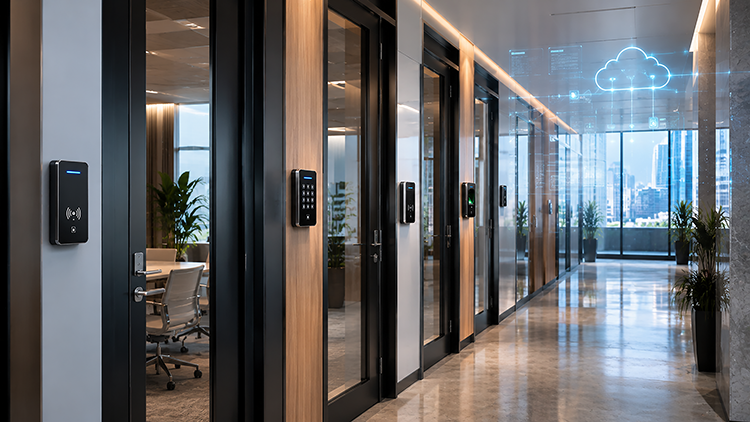
Every access control setup, regardless of brand or credential type, relies on the same four components working together at each door.
- Credential: something you type, carry, or are (a PIN, card, fob, fingerprint, or phone-based ID)
- Reader: the device mounted at the door that captures the credential
- Controller: a small panel, often near the door or in a wiring closet, that checks the credentials against a permissions list
- Electronic lock: a magnetic lock, electric strike, or electrified lockset that physically releases the door once approved
A fifth piece ties it all together: management software, either cloud-based or on-premise, where you add new employees, remove former ones, and set schedules for who can enter which door and when.
What Types of Access Control Credentials Are Available for Commercial Doors?
Keypad and PIN entry
The user types a numeric code at the door, the controller checks it against the system, and the lock releases. It’s the simplest option and works well for low-traffic entrances, but codes can be shared or overheard, so it’s usually best paired with other controls for anything beyond a single back door.
Key card systems
Each employee carries a proximity or swipe card with a unique embedded code. Tapping or waving the card at the reader sends that code to the controller for approval. Cards are easy to issue and revoke, which makes them popular for offices and retail with regular staff turnover.
Key fob systems
Fobs use the same underlying technology as cards, just in a smaller keychain form factor. They’re a common upgrade for businesses that want the convenience of a card system without employees having to carry a separate badge.
Biometric systems
Fingerprint or facial recognition ties access directly to a physical trait rather than something a person carries. Because a fingerprint can’t be lent out or duplicated as easily as a card, biometric readers are common at high-security doors, server rooms, and pharmacy or lab entrances.
Mobile credential systems
Instead of a card or fob, the employee’s smartphone becomes the credential, using an app or digital wallet to communicate with the reader over Bluetooth or NFC. This appeals to businesses that want to cut down on physical hardware and issue or revoke access instantly, without ever handing out a physical card.
Cloud-managed access control
This isn’t a credential type so much as a management layer that sits on top of any of the above. Instead of managing permissions from a box on-site, cloud-managed systems let you add users, pull entry logs, and lock or unlock doors from a browser or app, whether you’re managing one door or fifty across several South Florida locations.
Which Access Control Type Fits Your South Florida Business?
The right setup depends less on your industry and more on your door count, staff size, and whether you run one location or several.
- Single storefront or small office (one to three doors): a keypad or standalone fob reader usually covers the need affordably, without unnecessary complexity.
- Growing office, medical practice, or retail location with multiple entry points: a key card or fob system with scheduling and reporting gives you more control as staff size increases.
- Multi-site business, property manager, or franchise operator: cloud-managed access control paired with mobile credentials lets you administer every location remotely from one dashboard.
- High-security or compliance-driven facility (healthcare, financial services, data storage): biometric authentication adds a strong identity check at sensitive doors and can be discussed alongside a card or PIN if your facility wants an added layer.
What Do Door-Forced Alerts and Remote Lock/Unlock Actually Mean?
These terms show up in almost every access control quote, so it helps to know what they trigger in practice.
- Door-forced-open alert: fires when a controlled door is pried, kicked, or pushed open without a valid credential being read first.
- Door-held-open alert: fires when a door is propped open past its allowed time, which matters for both security and, in some cases, fire door compliance.
- Remote lock/unlock: lets an authorized manager lock or unlock a specific door from a phone or computer, useful for early deliveries, after-hours access, or locking down a building instantly without being on-site.
- Entry logs: a timestamped record of who entered which door and when, which is what you’d pull if you ever needed to investigate an incident or confirm staff hours.
Together, these features turn a locked door from a static barrier into something you can actually monitor and respond to in real time.
Why Does Fire Code Compliance Matter for Access-Controlled Doors?
Locking a door for security and keeping it safe for emergency exit are two different goals, and fire codes exist to make sure the second one always wins.
Under NFPA 101, the Life Safety Code, doors equipped with electronic access control in a means of egress must unlock automatically if the fire alarm activates or if the system loses power, so occupants are never trapped inside during an emergency.
This “fail-safe” design is especially relevant in South Florida, where hurricane season brings a real chance of power interruptions. A properly installed system keeps your building both secure day-to-day and compliant when it matters most.
How Does Access Control Work With CCTV, Alarms, and Ongoing Support?
A door reader on its own tells you who tapped a card. Paired with the rest of your security stack, it tells a fuller story.
- Video surveillance: cameras can be set to record automatically whenever a specific door is accessed or held open, giving you visual confirmation alongside the entry log.
- Intrusion alarms: access control and alarm systems can be linked so that a forced-door alert also triggers your alarm response.
- Fire alarm systems: as covered above, integration ensures doors unlock automatically during an alarm condition.
- Elevator and gate control: the same credential that opens your front door can also be set to restrict which floors or garage areas someone can reach.
None of this runs itself. Ongoing system maintenance and support are what keep alerts accurate and credentials current as your staff changes, which is why most South Florida businesses choose to have their access control professionally installed and maintained rather than treating it as a one-time purchase.
Why Choose Group One for Commercial Door Access Control in South Florida?
Group One Safety & Security has been protecting South Florida homes and businesses since 1984, and access control is one of the core systems we design, install, and support out of our Stuart, FL office.
Whether you need a single-door keypad for a small storefront or a cloud-managed, multi-site system with biometric readers and mobile credentials, we recommend solutions based on your building’s size, layout, and operational needs.
We can integrate your access control with compatible CCTV, fire alarm, and intrusion systems when appropriate for your facility. If you’re ready to see what fits your building, request a free security assessment to discuss options for your building.
Final Takeaways
- Access control is only as strong as the parts behind the reader, so ask about the controller, lock type, and software before you commit to a system.
- Matching the system to your door count and number of locations keeps you from overpaying for features you don’t need, or leaving a growing business under-secured.
- Fire code compliance isn’t optional; a fail-safe design protects your team during a power loss or fire alarm, which matters even more during South Florida’s hurricane season.
- Integrating access control with CCTV, alarms, and fire systems turns separate products into one coordinated security plan instead of disconnected pieces.
Frequently Asked Questions
What’s the difference between a key fob and a key card system?
They use the same underlying credential technology; the difference is the form factor. Cards fit in a wallet or badge holder, while fobs attach to a keychain. Businesses often choose based on staff preference rather than any real difference in security.
Will access-controlled doors still open during a fire alarm or power outage?
Yes, when installed correctly. Fire codes require electronically locked egress doors to unlock automatically on fire alarm activation or loss of power, and this fail-safe behavior is a standard requirement any professional installer should design around. Ask your provider to walk you through how your specific doors are configured to meet it.
Is cloud-based access control secure enough for a small business?
Cloud-managed systems are widely used across businesses of every size because they let you revoke a lost card or a terminated employee’s access instantly, which is often more secure than a traditional key that can’t be “turned off” once it’s out of your hands.
Does access control work with our existing security cameras and alarm system?
In most cases, yes, especially when the systems are installed or reviewed by the same provider. Group One designs access control to integrate with CCTV, intrusion alarms, and fire alarm systems so they function as one coordinated setup.
Protecting the Treasure Coast since 1984
Talk to a local, licensed team, not a call center. Get a free assessment and a written quote.